Aeromexico Rewards
 Air Canada Aeroplan
 Air France / KLM Flying Blue
 Alaska MileagePlan
 American Airlines AAdvantage
 Azul Fidelidade
 Delta SkyMiles
 Etihad Guest
 GOL Smiles
 Jetblue TrueBlue
 SAS EuroBonus
 Turkish Miles&Smiles
 United MileagePlus
 Virgin Atlantic Flying Club
 Virgin Australia Velocity
United Airlines has rolled out a suite of new features for its mobile app focused on transparency and reducing stress. The airline is introducing a Virtual Gate to prevent crowding, a United Club capacity tracker to help you find a seat, and a new bag tracking interface that mimics package delivery apps.
United claims to expect over 10 million passengers between now and January 6 (which is crazy), and for them it’s important to smooth out the airport experience. Here is a breakdown of the new features and how to use them on your next trip.
1. The ‘Virtual Gate’: No More Hovering
One of the biggest pain points at the airport is the crowding around the podium before a group is called. United’s new Virtual Gate feature aims to solve this.
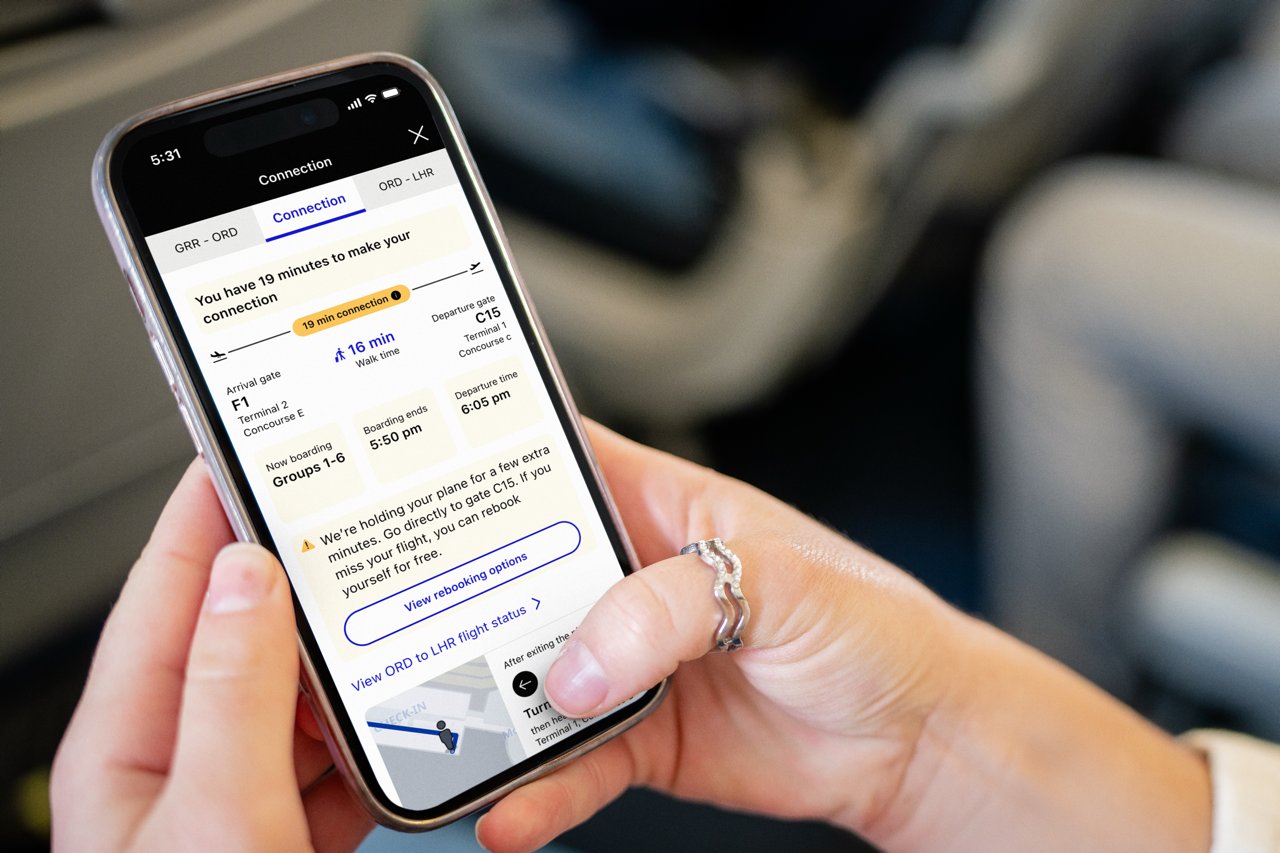
Instead of standing near the gate to hear announcements, you can now see:
- Real-time boarding status: Exactly which group is currently boarding.
- A progress bar: Visualizing how many passengers have already boarded.
This allows you to stay in the lounge or sit at a nearby restaurant until the very last moment, knowing exactly when it’s your turn to walk on board.
2. United Club ‘Closest and Best’ Tool
Finding a United Club is easy; finding one with empty seats can be a challenge. The new ‘Closest and Best’ feature uses real-time data to recommend a lounge based on two factors:
- Proximity: How close it is to your departure gate.
- Capacity: How crowded the club currently is.
Note
Launch Limitation: The capacity insight feature is initially launching only at Chicago O’Hare (ORD). United plans to roll this out to other hub airports throughout 2026.
If you are transiting through ORD this holiday season, this tool could save you from walking across the terminal only to find a line out the door.
3. Package-Style Bag Tracking
United has been a leader in bag tracking (especially with their recent AirTag integration), but the interface is getting a facelift. The new tracker is modeled after package delivery apps. It provides a visual, step-by-step timeline of your bag’s journey, from check-in, through the sorting facility, onto the plane, and onto the carousel.
4. Personalized Day-of-Travel Updates
The app is also getting smarter about who you are and what you need. The new update includes AI-supported navigation and personalized alerts, including:
- For families: Guidance on traveling with strollers.
- For accessibility: Specific updates for travelers with wheelchairs.
- Arrival intel: Live local weather at your destination and instructions on how to connect to rideshare services (Uber/Lyft) immediately upon landing.
Final Thoughts from AwardFares
United is positioning itself as the tech-heavy airline. Moving more data from the gate agent’s screen to the passenger’s phone gives travelers more control, which is an initiative we link and appreciate. We like data. If you are flying this month, make sure your app is updated to the latest version to see these features.
Test the New App on Your Next Award Flight
The best way to try out these new features is by booking a trip. United releases award seats throughout the year, and AwardFares helps you find them instantly.
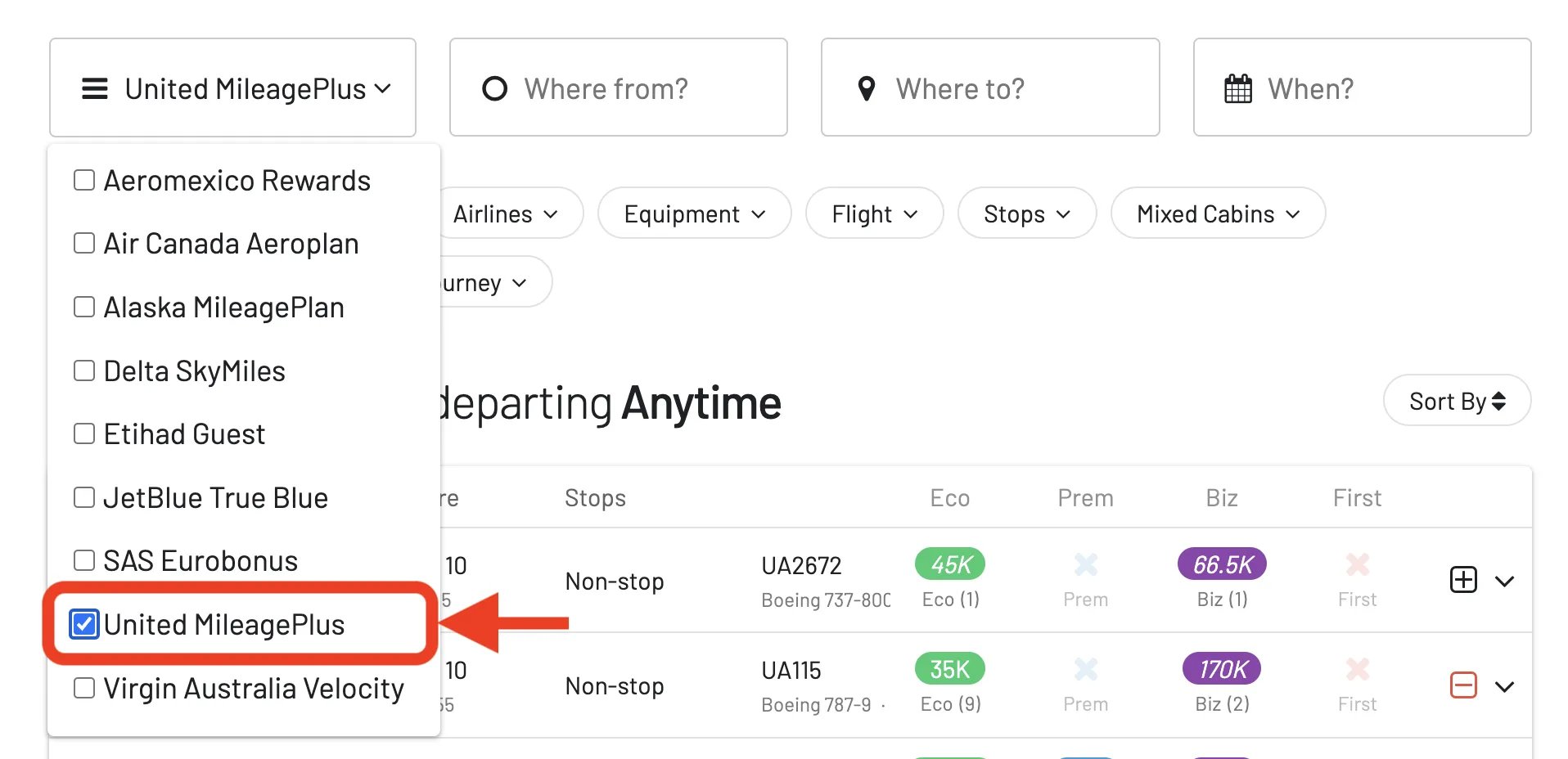
1. Search for United Flights
Select United MileagePlus (or any Star Alliance partner) in the AwardFares dropdown to see available seats.
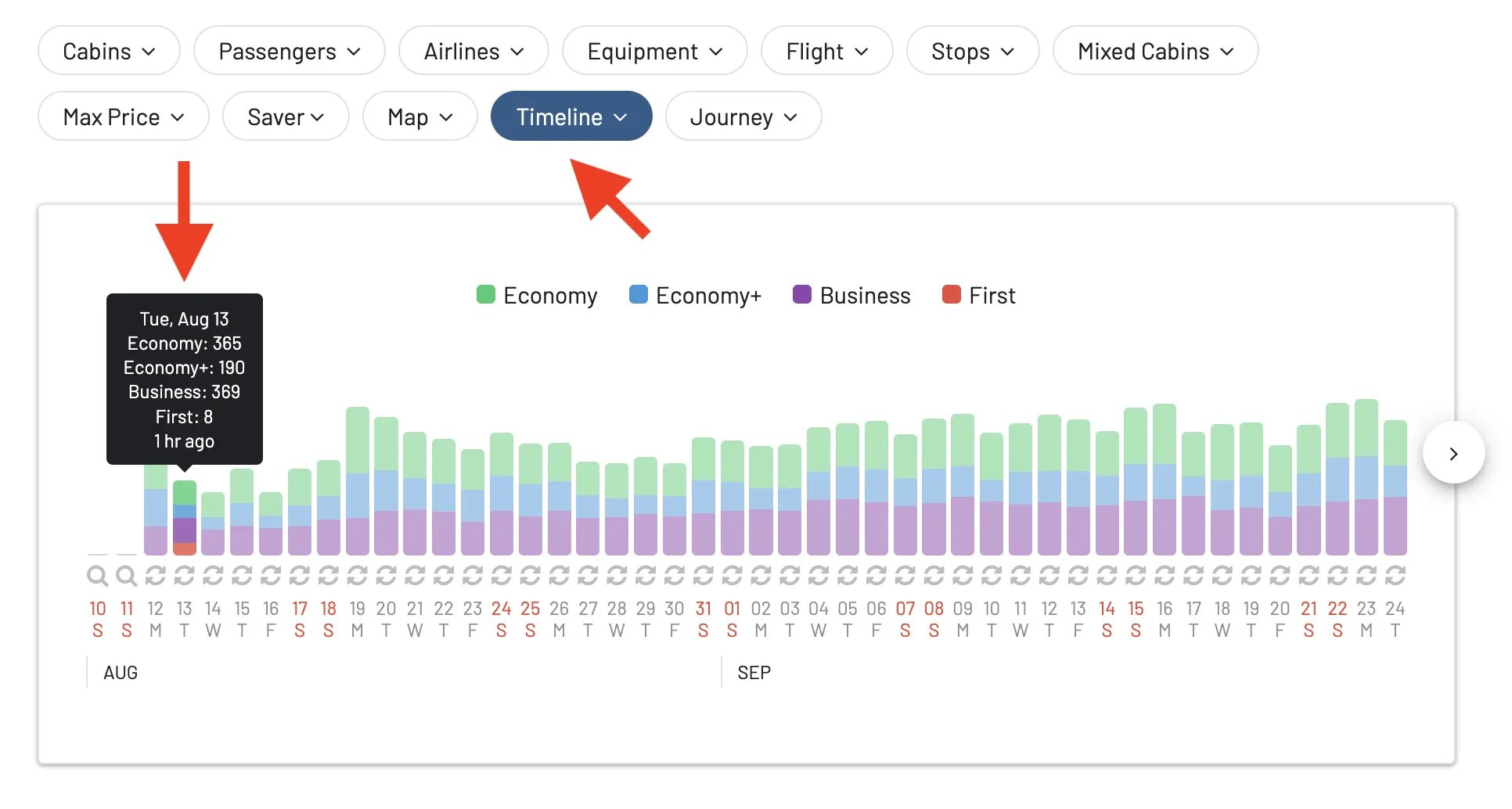
2. Use the Timeline View
If you want to try out the new United Club capacity tool at O’Hare, search for routes connecting through Chicago (ORD). The Timeline View lets you see availability across the whole month at a glance.
3. Setup Alerts
Can’t find the flight you want? Set up an alert. AwardFares will email you the moment a seat opens up, so you can book it and get ready to test out the Virtual Gate for yourself.
Start searching for United awards now →